
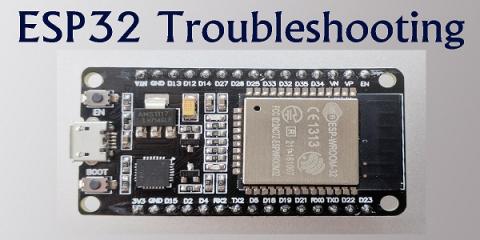
ESP 32 development boards uses Xtensa series of microprocessors, they are great value for money.
They provide fast CPU with lot of peripherals which allow many modes of communication
- Wifi
- Bluetooth low energy
- I2C
- SPI
- UART
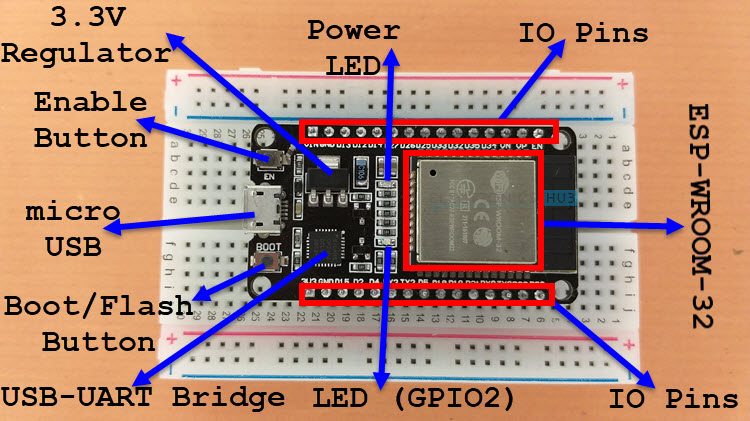
Some of the common errors seen with these boards are documented below and approaches on how to debug and fix them.
A fatal error occurred: Failed to connect to ESP32: Timed out …..
This is likely caused due to the following:
- The ESP32 board has a boot pin, which needs to go LOW when entering programming mode. This has not happened, hence the error.
- FIX : When programming starts PRESS EN + BOOT button on the board, then release EN button
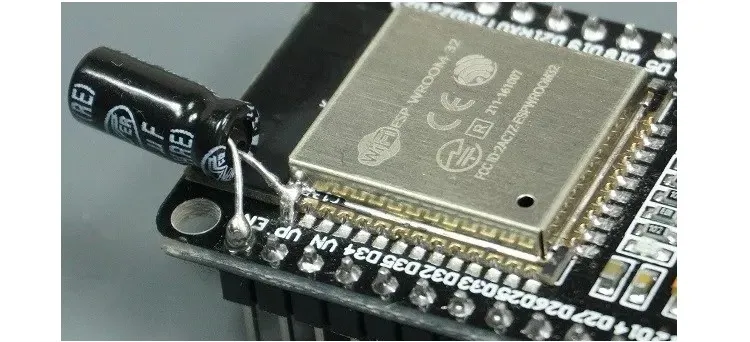
- FIX : Connect a 10uF or 100uF capacitor between EN and GND
Writing to Flash Fails Part Way Through
This is likely caused due to the following:
- Loose connectivity of the Power pins VCC, GND or the UART TX and RX pins. Sometimes loose USB connections can result in the same problem
- FIX: Ensure connectivity is good, there are no loose wires. Check with Multimeter for continuity.
- Power supply does not have enough current to power the ESP32
- FIX: Power the ESP32 from a usb port which is capable of 500mA or more, using a powered USB hub will also solve this problem
- GPIOs 7, 8, 9 & 10 are connected, they are used to write to the flash and hence should be disconnected when programmin
- FIX: Disconnecting GPIO pins 7,8,9,10 from any peripheral will resolve this issue
"Brownout detector was triggered" failure on my ESP32
The most likely cause of this error is:
- USB port not providing enough current to power the ESP32
- FIX : Power the ESP32 from a usb port which is capable of 500mA or more, using a powered USB hub will also solve this problem