
Introduction:
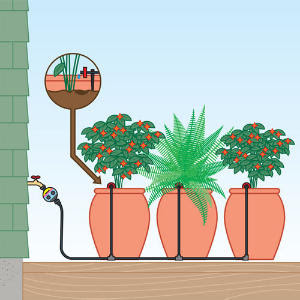
In this part of the tutorial we are going to look at how to add the 9V Water Pump to the Arduino and control it, getting away from traditional watering system. The water pump will be used to supply water to the plant when needed. The need of water will be determined by the soil moisture sensor. When the sensor sent the signal that water moisture is low in soil it will activate the pump for a period of time to water the plant. We need a switch or reply to turn ON and OFF the water pump as per need, there are couple of options but for this tutorial we will be using NPN Transistor to act as switch.
Water Pump Description:
Electric water pump will allows to draw water from a source and pump it to the destination needed.
Parts:
- Arduino
- 9V Water Pump
- NPN Transistor OR Relay
- Water hose (to connect to pump)
Pin Configuration:
Pin layout for NPN
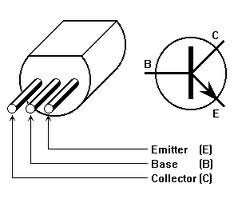
Wiring:

Diagram 1 shows with NPN as switch as above
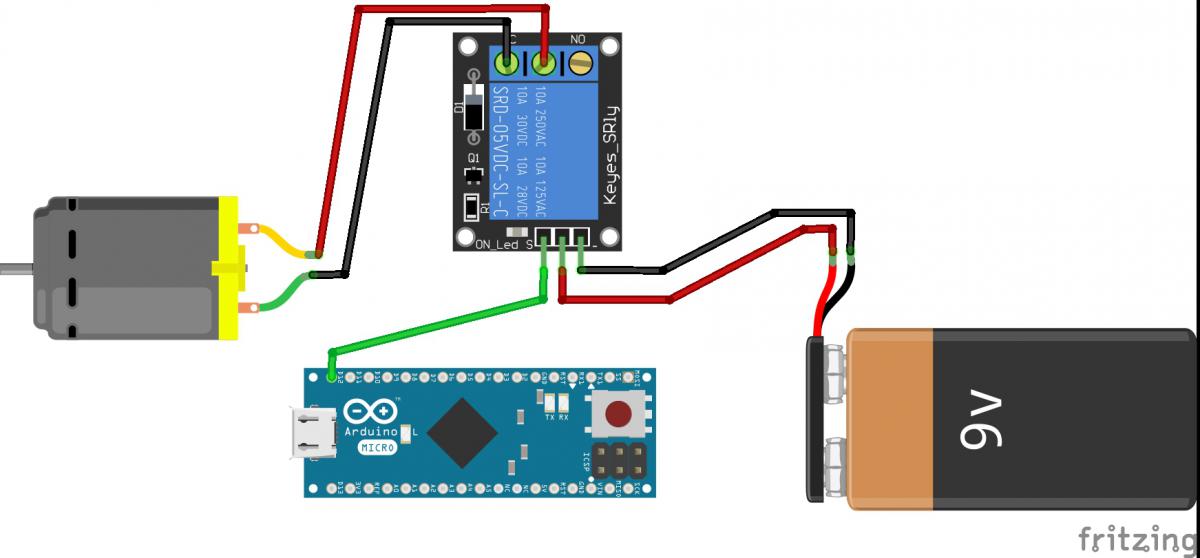
Diagram 2 shows with single relay as switch as above
|
NPN |
Arduino / Battery |
|
Collector (c) |
Power source positive (+) |
|
Base (B) |
D2 on Arduino |
|
Emitter (E) |
Water Pump positive (+) |
The water pump is power by the power source directly (this power source can also power the Arduino, but for now we will power Arduino separately). NPN transistor base is connected to D2 pin on Arduino. NPN Transistor works as a switch when D2 pin is turned ON (HIGH).
Code:
intmotorPin=D2; // pin that turns on the motor
intblinkPin=13; // pin that turns on the LED
intwatertime=5; // how long to water in seconds
intwaittime=60; // how long to wait between watering, in minutes
voidsetup(){
pinMode(motorPin,OUTPUT); // set D2 to an output so we can use it to turn on the transistor
pinMode(blinkPin,OUTPUT); // set pin 13 to an output so we can use it to turn on the LED
}
voidloop(){
digitalWrite(motorPin,HIGH); // turn on the motor
digitalWrite(blinkPin,HIGH); // turn on the LED
delay(watertime*1000); // multiply by 1000 to translate seconds to milliseconds
digitalWrite(motorPin,LOW); // turn off the motor
digitalWrite(blinkPin,LOW); // turn off the LED
delay(waittime*60000); // multiply by 60000 to translate minutes to milliseconds
}
The above code will turn on the water pump for 5 secs and then wait for 60 secs to to turn it on for 5 secs again.
This will happen in loop till arduino is powered down.
Getting the complete Automatic watering system with pump and sensors