
The Wifi datalogger can be set to use your wifi using the below steps:
- Connect the battery/power source to the datalogger
- Press the RESET button once ( see fig below for RESET Button position, its a tiny black button )
- You should see the GREEN light flash periodically. Once the light starts flashing press the WHITE Button
- The GREEN light should stop flashing and stays ON
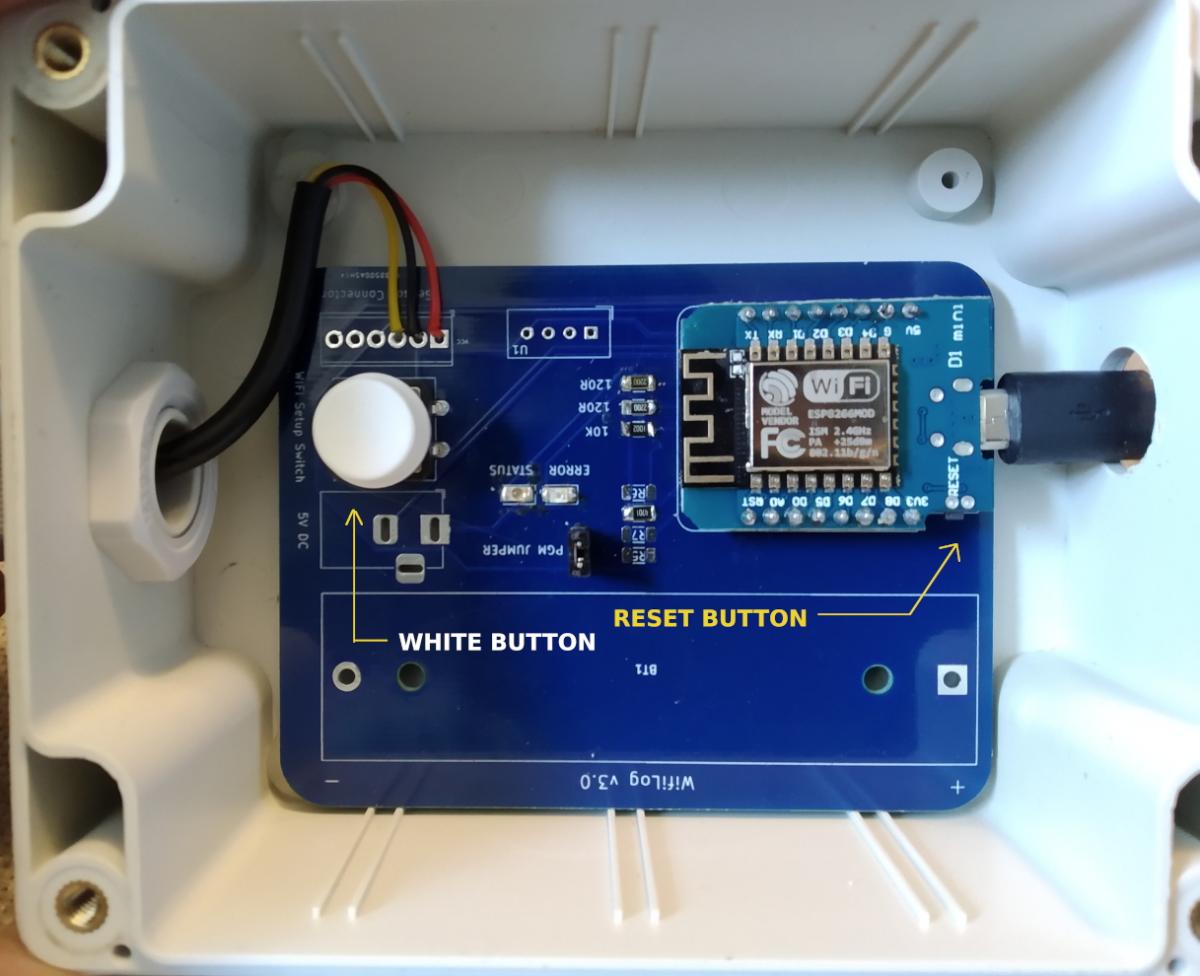
- Now the device is setup for feeding in the Wifi details, Use your mobile phone or PC and look a list of Wifi networks available and you should see "WifiLog_Setup"
- Connect to "WifiLog_Setup"
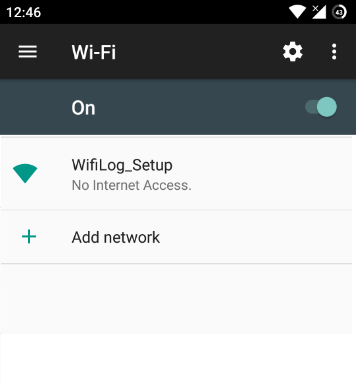
Fig: WifiLog_Setup Wifi Access point
- Connect to WifiLog_Setup wifi network and your mobile should redirect you to below page ( If not open browser and browse to http://192.168.4.1 )
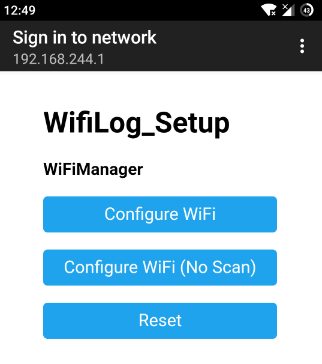
- Click Configure Wifi and you should see below screen, You should see your wifi network here, Click that then type in the Wifi password in the password box and then press save
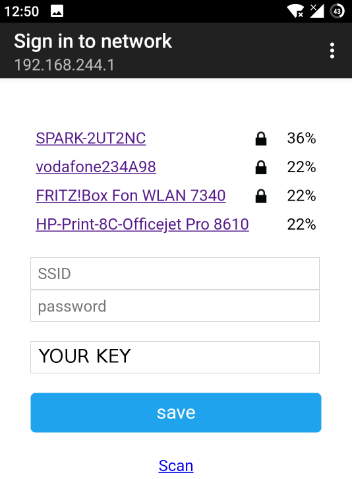
- The Datalogger will now connect to your wifi network and after about 30 secs of pressing save you should see the flashing green LED turn off. This means the wifi logger is configured and all good to go.